 DAVx⁵
T-Online.de is a German news portal and ISP which provides an email service with address books and calendars.
Activate the CalDAV/CardDAV service on t-online.de
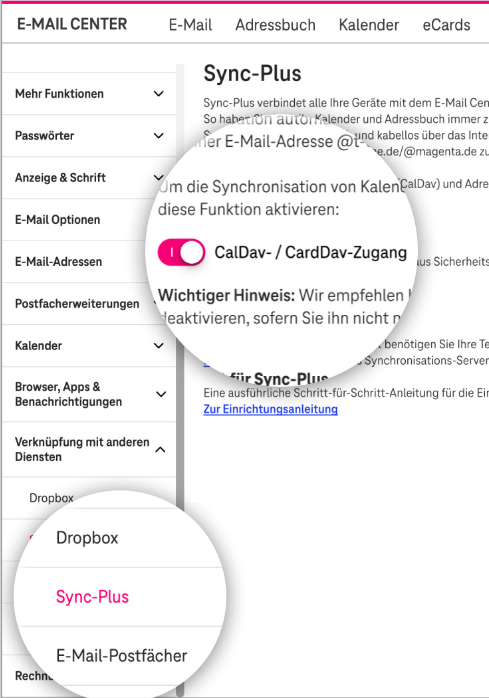
Since Sept. 20th 2026 T-online changed how CalDAV/CardDAV can be accessed. You need to explicitly activate this service now.
- Login to the Email Center
- Open Settings
- In the menu click “SyncPlus” and activate the “CalDAV / CardDAV" switch
- In the menu click “Password for Email applications” and generate an extra app-password there. Important: remember this password and send it to your mobile device since you will need it for the setup with DAVx⁵!
Please have a look at the instructions from t-online.de, too.
CalDAV/CardDAV setup
Base URL: https://spica.t-online.de/
Username: yourEmail@t-online.de
Password: your password for the given username
With free (non-paid) t-online.de accounts it's possible that only address book synchronization is available (no calendars). Address book and calendars are available for t-online.de customers.
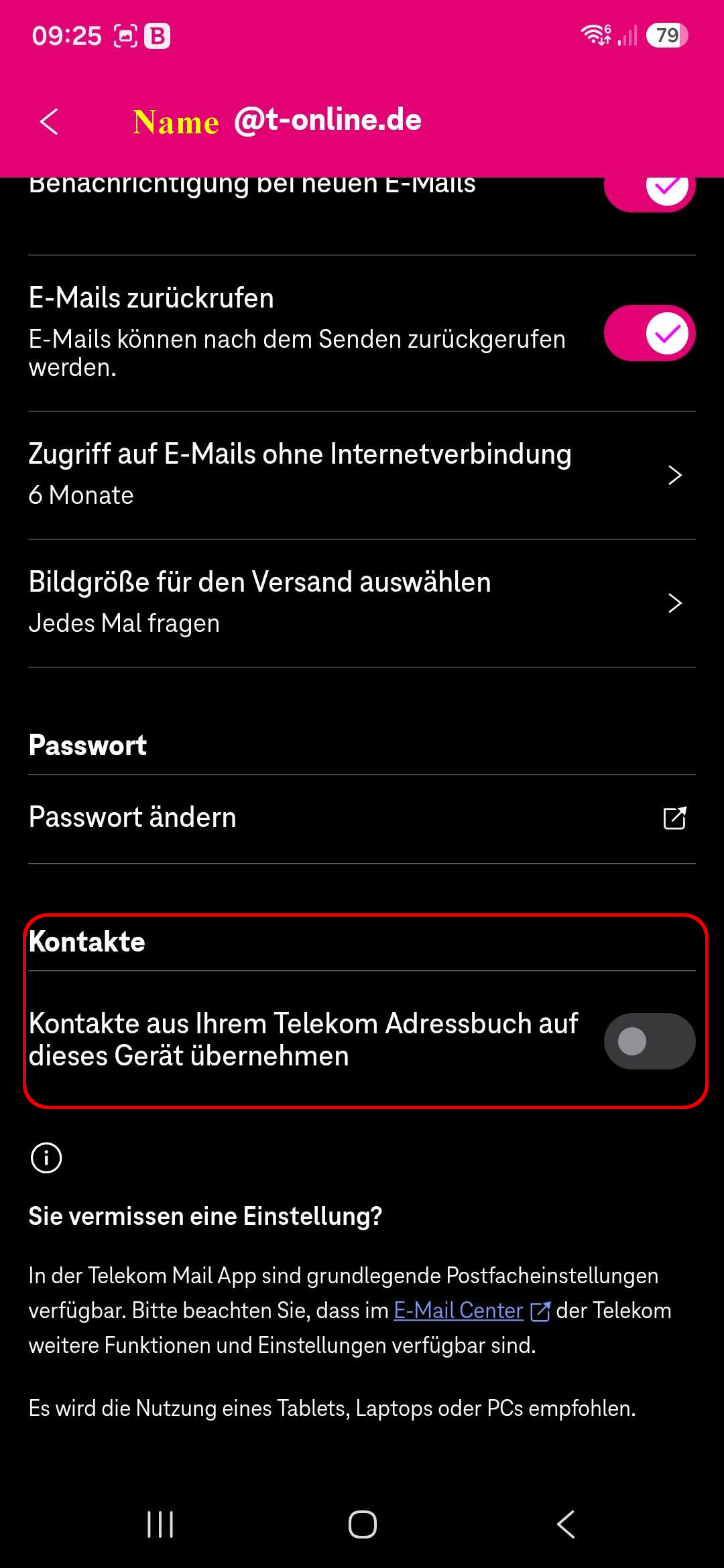
Do not let the T-Online Email app sync your contacts
If you use the T-online app for Emails, please deactivate the option to sync contacts via this app (see screenshot). Otherwise you may run into problems where certain fields of a contact can't be synced. DAVx5 can sync your contacts and all it's fields more reliably.
WebDAV setup
You can mount folders from the MagentaCloud using the DAVx⁵ WebDAV mounts feature.
Because of a server issue, DAVx⁵ can only read files over WebDAV. Uploads seem to succeed, but leave a 0-byte file on the server.
WebDAV URL: https://magentacloud.de/remote.php/webdav
User name: see CalDAV/CardDAV
Password: you have to set up a WebDAV password